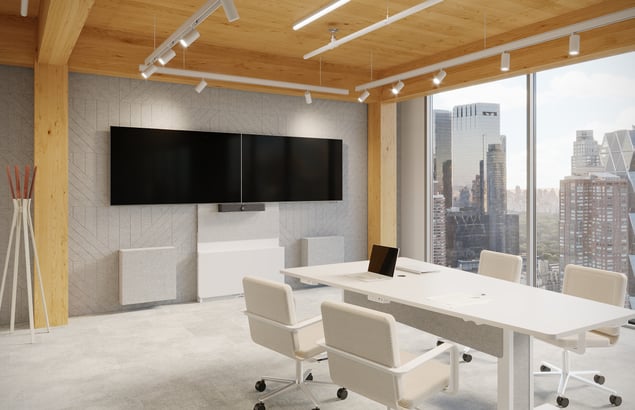
Learn how standardized conference room AV reduces complexity, improves meeting quality, and simplifies support across locations.
At a Glance
Inconsistent conference room technology is a quiet drain on enterprise productivity. When offices and regions rely on a patchwork of legacy hardware, confusing interfaces, and ad-hoc peripherals, organizations face predictable friction: delayed meetings, overburdened IT support teams, and an unequal experience for remote participants. Standardizing your conference room AV into repeatable, role-based room templates transforms collaboration from an operational bottleneck into a scalable asset. By balancing a consistent user interface with space-specific hardware performance, enterprises can slash troubleshooting time, streamline procurement, and build a predictable workplace experience that drives employee trust and technology adoption.
Why inconsistent room technology creates business friction
As organizations expand across offices, regions, and acquired locations, conference room technology often becomes inconsistent. One site may have an excellent hybrid meeting setup, while another relies on aging hardware, confusing controls, or unsupported peripherals. The result is predictable: employees waste time figuring out how to start meetings, support teams juggle too many device types, and remote participants get uneven experiences.
Standardizing conference room AV helps solve these issues by creating repeatable room templates that improve usability, reliability, and supportability across the business. The case for standardization is both operational and strategic. On the operational side, fewer hardware variations mean easier procurement, faster troubleshooting, and simpler training. On the strategic side, consistent room experiences help organizations support hybrid work, protect brand perception, and scale collaboration technology with less risk.
Guidance on meeting room planning points to this same reality: room success improves when organizations align standards, room types, device categories, and deployment processes instead of treating every room as a custom project. Creating a standard begins with classifying spaces. Most organizations benefit from a limited set of room archetypes such as focus rooms, huddle rooms, small collaboration rooms, medium conference rooms, large boardrooms, and divisible training spaces. Each room type should have a defined purpose, recommended capacity, approved device stack, and expected user workflow. This prevents overdesign in small rooms and underperformance in larger ones. Instead of buying technology ad hoc, teams can map collaboration needs to a curated set of standards that match business priorities.
Standardization also improves the employee experience. People should not need different instructions for each room they enter. Consistent touch panels, meeting launch flows, camera behavior, and content sharing methods reduce friction and increase confidence. That matters because room adoption depends heavily on familiarity. When room experiences are predictable, meetings start faster and users are more likely to trust the technology. For enterprise organizations with multiple sites, conference room AV standards are not just a technical convenience. They are an important part of workplace productivity, service quality, and scalable collaboration strategy.
Balancing consistency with room-specific performance needs
Standardization should never mean forcing every room into the same technical mold. Effective room standards create a familiar user experience while still accounting for differences in room size, acoustics, occupancy, furniture layout, and use case. A four-person huddle room does not need the same camera coverage, microphone pickup pattern, or display strategy as a training room or executive boardroom. What should remain consistent is the way people interact with the technology. If users can walk into any room and confidently start a meeting, share content, and control the environment without relearning the system, the standard is doing its job.
The most practical way to achieve this balance is to define a portfolio of room types with approved technology stacks and design criteria. Solutionz provides guidance around room standards and planning so organizations can create repeatable templates and track deployment progress across sites. Teams responsible for large estates can set standardized room types to improve governance and execution. This approach helps enterprises document what belongs in each room class, which peripherals are approved, what network and power prerequisites are required, and how support teams should manage them.
Physical environment still matters. Display height, camera line of sight, background contrast, lighting control, and acoustic treatment all shape the quality of hybrid meetings. Logitech’s room design guide remains useful because it focuses on environmental decisions that are often overlooked until users complain about poor audio or awkward sightlines.
Accessibility and inclusivity also belong in the standards conversation. Rooms should support remote participants as equal contributors, provide clear audio, and minimize the friction that often affects hybrid collaboration. Control interfaces, device placement, and furniture choices should serve both in-room and remote attendees. A good standard therefore includes not only hardware lists but also experience principles. When organizations balance consistency with performance requirements, they get the operational value of standardization without sacrificing room quality or user satisfaction.
Operating and improving room standards over time
Room standards are only valuable if they can be maintained, measured, and improved over time. Many companies complete a room refresh, publish a standards document, and then gradually drift away from it as local teams buy different devices or as support gaps emerge. To avoid that pattern, organizations need governance, visibility, and lifecycle planning. A standard is not just a design artifact; it is an operational discipline that influences procurement, deployment, change management, and support.
Operations teams should start by defining ownership. Someone needs responsibility for approving room types, managing exceptions, documenting installations, and reviewing performance across locations. That may sit with workplace technology, IT infrastructure, facilities, or a collaboration center of excellence.
Deployment processes should also reflect the standard. New offices, renovations, and technology refreshes should all use the same validation steps, including room readiness checks, network verification, commissioning, and user acceptance testing. Commissioning criteria helps ensure that installed systems match design intent before the room is handed over to end users.
Finally, standards should evolve based on usage data and business needs. Are some room types underused? Are certain peripherals failing more often? Are hybrid meeting complaints concentrated in a specific template? These insights help teams refine their standards instead of treating them as static.
Solutionz partners with enterprise clients to combine design-build expertise with ongoing service and optimization. That combination makes room standards sustainable, scalable, and genuinely valuable. Over time, organizations that manage standards as a lifecycle practice gain more reliable meetings, lower support effort, and a collaboration environment that can grow with the business.