Keeping lecture halls, conference rooms, and collaboration spaces running smoothly is one of the biggest challenges facing campus IT teams today. When audiovisual (AV) systems go down during a midterm lecture or a board presentation, the impact extends far beyond a technical inconvenience. Solutionz, Inc. helps colleges and universities build reliable, campus-wide AV managed services programs that keep learning and operations on track.
This article walks you through seven factors higher education leaders should evaluate before outsourcing AV support and monitoring. From service level agreements to escalation paths, each factor can make or break the consistency your campus depends on.
Key Takeaways: AV Managed Services for Higher Education
- Service level agreements should define response times, resolution targets, and measurable accountability for every campus AV space.
- Tiered escalation paths reduce downtime by routing issues to the right technician or engineer immediately.
- Campus-wide support coverage ensures consistent AV performance across lecture halls, labs, and all administrative spaces.
- Proactive monitoring detects hardware and software failures before they interrupt scheduled classes or major campus events.
- Solutionz provides full lifecycle AV support that includes remote monitoring, on-site staffing, and end-user adoption training.
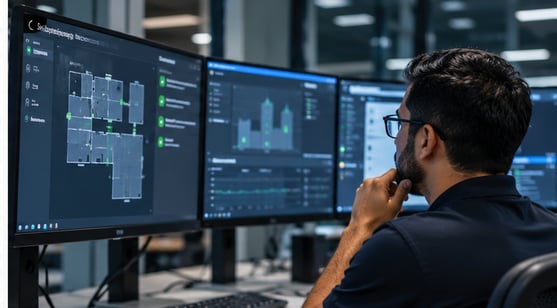
What Higher Education Leaders Need to Know About Outsourced AV Support
1. Define Clear Service Level Agreements
A service level agreement (SLA) is the backbone of any managed AV services contract. It should specify response times, resolution windows, and uptime commitments for each type of AV space on campus. Classrooms used for daily instruction often need faster response commitments than seldom-used meeting rooms.
Your SLA should also outline reporting cadences. According to a 2026 AVIXA and Logitech study, one-third of faculty surveyed had considered leaving their institution because of poor AV technology. That makes SLA accountability a retention issue as much as an operational one.
2. Establish Tiered Escalation Paths
Not every AV issue requires the same level of expertise. A tiered escalation model routes simple problems to front-line technicians while reserving complex network or control-system failures for senior engineers. This keeps resolution times short.
Your escalation path should include clear handoff criteria between each tier. Define when a Tier 1 technician should escalate to Tier 2, and when Tier 2 should engage the integrator or manufacturer directly. Documenting these thresholds in your contract removes ambiguity during high-pressure events like commencement or accreditation reviews.
3. Ensure Campus-Wide Support Coverage
AV environments on a college campus vary widely. A 300-seat lecture hall with lecture capture, a huddle room with a single display, and a simulation lab with immersive video walls each demand different support capabilities. Your managed support provider should be equipped to handle all of these room types under one agreement.
Campus-wide coverage also means consistent standards. When every classroom follows the same control interface and device configuration, faculty can walk into any room and begin teaching without troubleshooting. That consistency starts with the managed services partner who maintains and monitors those spaces.
4. Prioritize Proactive Monitoring Over Reactive Fixes
Waiting for a system to fail before dispatching a technician is the most expensive approach to AV support. Proactive remote monitoring uses automated alerting to detect firmware mismatches, device connectivity drops, and hardware degradation before they cause a disruption in class.
Solutionz delivers proactive managed support through its remote monitoring and management (RMM) platform. The system operates within your campus network, combining automated alerting with integrated ticketing and predictive analytics. This means your IT team gets notified about a failing amplifier days before it goes silent in a packed auditorium.
5. Evaluate Full Lifecycle Support
Managed services should extend beyond break-fix repairs. A full lifecycle approach covers initial system design and installation, ongoing preventive maintenance, firmware and software updates, and eventual technology refresh planning. This model prevents gaps between the team that builds your system and the team that supports it.
Ask providers whether they offer scheduled preventive maintenance visits, technology roadmaps, and periodic system recertification. A partner who handles design through ongoing technician staffing and support gives you a single point of accountability. That continuity reduces finger-pointing and speeds up issue resolution.
6. Invest in End-User Adoption Training
Even reliable AV systems underperform when faculty and staff are not confident using them. End User training programs close the gap between installation and daily use. Hands-on sessions, quick-reference guides, and on-demand webinars help instructors focus on teaching rather than troubleshooting a touch panel.
A strong training program also reduces support ticket volume. When end users can resolve common issues independently (restarting a display, re-pairing a wireless presenter), your help desk handles fewer routine calls. That frees up your support team to focus on higher-priority tasks across campus.
7. Confirm Cybersecurity and Compliance Alignment
Networked AV devices are endpoints on your campus network, which makes them potential entry points for cyber threats. Your managed services provider should follow security protocols that align with your institution's cybersecurity posture, including secure remote access, encrypted communications, and regular vulnerability assessments.
Compliance matters too. If your institution handles protected health information through telemedicine programs or processes student records under FERPA, the AV systems and their support infrastructure must meet those regulatory requirements. Confirm that your provider's team includes professionals who understand compliance frameworks relevant to higher education.
How to Choose the Right AV Managed Services Partner for Your Campus
Selecting an AV managed services provider is a decision that shapes the daily experience of everyone on your campus. Look for a partner who offers defined SLAs, tiered escalation, proactive monitoring, lifecycle support, and training under one roof. That combination keeps lecture halls running, faculty confident, and students engaged.
Solutionz brings decades of audiovisual integration expertise to higher education campuses nationwide. From consultation to installation and ongoing managed support, our team works alongside your IT staff to build AV environments that perform consistently across every room and building. Contact us with any questions, and one of our experts will reach out to provide answers and demonstrate solutions.